Monday, 13 August 2012

Pie Charts

I've seem a few pie-charts in scrapbooking layouts and kits lately. I loved this kit by Paislee Press and One Little Bird - the pie chart described my son almost perfectly. I only swapped mischievieous with adventurous, because my boy has plenty of mischief but is not very adventurous.


* Patterned Paper: My Mind's Eye
* Pie Chart and Legend: For the Record by Paislee Press and One Little Bird @ oscraps.com
*Letter Stickers: Basic Grey
* Rubbons, Washi tape, Post it (orange)
* Die Cuts: my own, using the Silhouette Cameo

The top right hand side was looking a bit bare so I added a strip of washi tape. Then I covered some of the red hearts with orange handcut ones.

Thursday, 9 August 2012

I am back in love with drawing

Since I closed Mami Doodles, I haven't been drawing much; in honesty not all at. I only started back in the last few weeks.

Now, instead of using pencil and paper, I am drawing on the iPad. I had a paid-for app which never felt natural to me. Instead I started using Autodesk SketchBook Express, a free app. It was so much fun that I ordered a Pogo Sketch Stylus because it is so much easier to draw with a "pen" than using my finger.

And today I made the big jump and bought Autodesk SketchBook Pro, which cost me the princely sum of €1.59 ($1.99)! Less than the price of an expresso here in Ireland.

If you like drawing and have an iPad, go and get SketchBook, you won't regret it.

I don't have anything decent to share yet, but if you look at the screenshots in iTunes you can see the amazing things it can do.


Amazing, yes? Having said that, it won't make me draw better, like no pencil will instantly make me draw better but all the tools are there. And I am loving working on it!

Wednesday, 8 August 2012

Still doing Photo A Day

Well, sort of, in fairness I should rename it "4 or more photos a week project".  I definitely take lots of photos most of the days, but there are days I couldn't be bothered.

If you look at my Shuttercal calendar, it is full of holes, but I''ll try to be more diligent. I found that my best photos come when I set some sort of target, so this week I am going for 2D/3D. That is, mixing dimensional object with photos/prints or drawing. That's something I've done in the past. In fact, my first photo of the 365 project is 2D/3D: ( cup and spoon over an old drawing of mine)


I like this one too: (buttons over a Dulux paint brochure)


And recently I came across this beauty in pinterest: (by Kari Herer)


I am trying to do something creative this week, but for the time being, I'll leave you last week's photo of my son who, after seeing her sister's crown, demanded one for him too.


Monday, 6 August 2012

March 2012

I am not doing too well in Project 12 this year. Seven months gone, two months completed...


* Banners: Paislee Press
* Title: Shimelle Laine @ Two Peas in a Bucket (digital)
* Embossing Powder: American Crafts
* Sketch: October Afternoon

I used a sketch this time, and I literaly copied all the photo shapes exactly. I hardly ever use different sized photos and this helped me to make something different without having to do any design work!

Here's the originak sketch from the October Afternoon blog:

Friday, 3 August 2012

10 years

Wednesday was a special day because 10 years before this girl joined our family. Lucky us.


Happy Adoption Day, L!

Saturday, 28 July 2012

Craft Inspiration

There's nothing I like more than browsing a magazine, specially scrapbooking and crafts mags.

While nothing beats paper publications, since I go the iPad I have downloaded/read online some  magazines like Mollie Makes, Scrapbook Trends, Scrapbooks Etc and Martha Stewart Living.

Those are all paid for magazines, but there are some amazing free e-mags around.

I love these ones:

Scrapbooks and Cards Today

30x30 (Polish)

Crafting Ireland

While browsing Issu today, I found a few more:

Scrapbook Trends April 2010 

Cards April 2010

Plumetis (French/English)

Paper Runway

Whimsy Stamps Inspirations Magazine 


They're all full issues, while some are regular free online magazines, others are a free edition of a paid-for mag.

Have fun!

Sunday, 22 July 2012

Have you heard of Skylanders?

Unless you have a child in your life, of a certain gender and of a certain age, you probably have not.

For the uninitiated, I'll explain: it is a Wii game, and Wikipedia explains:

"In Skylanders: Spyro's Adventure, players take on the role of a Portal Master who can control over 30 different characters, including Spyro. Players embark on a journey into a world where they will explore lands, battle creatures, collect gold and treasures, and solve puzzles while on a quest to save their world from Kaos, an evil Portal Master, whom they must defeat."

It fascinates my boy and lots of his school friends. The clever marketing ploy about this game is that it mixes the video part with actual toys. You can change ther role you play by placing a diferent character in a sort of box (which looks like a tree trunk to me). So, not only you have to buy the game, but you will be asked to buy endeless Skylanders so your child can progress in the game.

My son's granny gave him the game as a Christmas present (big hint from Daddy) and on his birthday last month he got 12+ new Skylanders from family and friends.

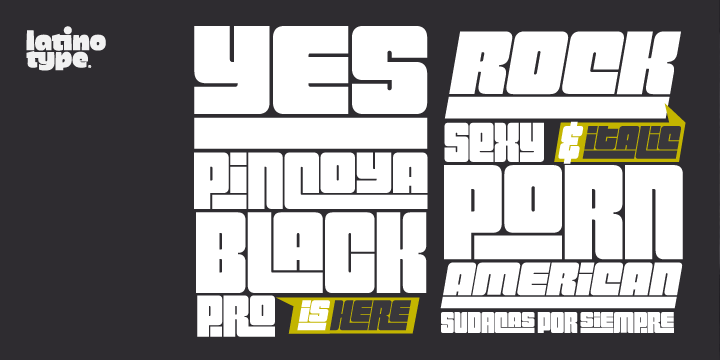
* Font: Pincoyablack (title), Century Gothic (journaling)
* Stamps: Studio Calico (letters), Viking Direct (date)
* Skylanders Image: Crabfu.com
* Other: Letraset Promarkers,  Washi tape, Silhouette Cameo

It is a very simple layout that took a few resources to put together.

First the profile was inspired by a silhouette by Kennedy Garret that I found in pinterest:

Source: flickr.com via Elisa on Pinterest#


The profile was from a photo I took a while ago as part of my photo a day project:


After that, I looked for a font that ressembled the Skylanders title. Pincoyablack is not exactly like it, but close enough.


After that was the inside of the silhouette which I wanted to be Skylanders-themed - a quick google search brought me to the person that drew the characters. His blog has the original sketches for download. I grabbed one and coloured with Promarkers.

After all that, it was easy, I had fun colouring with Promarkers.

Which I might be using more in the future... In a recent crop, Elaine Smyth gave a class on how to use the markers and I think a penny dropped. I has only half listening while I was trying to get my layout finished and I regret it, I should have paid more attention!